

Upgrade to WordPress 7.1 Without Putting Your Website at Risk
A major WordPress update can affect plugins, themes, custom functionality, integrations and hosting compatibility. W3care assesses your current setup, identifies potential conflicts and plans a controlled upgrade before anything changes on your live website.
No obligation. We review your current setup and share a clear upgrade roadmap.
-
 Trusted by brands in the USA, UK, Australia and South Africa
A WordPress Upgrade Is More Than One Click
For a simple website, an update may be straightforward. For a business-critical platform, the risk often sits in everything connected to WordPress: plugins, themes, custom code, eCommerce, forms, analytics, payment gateways and third-party integrations.
An assessment helps you understand those dependencies before they affect customers, revenue or day-to-day operations.

An essential plugin may not yet be fully compatible with the new release.

Changes can affect templates, block behaviour, styling or responsive layouts.

Bespoke functionality may depend on APIs or behaviours that have changed.

Small compatibility issues can interrupt enquiries, orders or payments.

An upgrade can expose caching, hosting or asset-delivery problems.

Updating production without staging and rollback preparation creates avoidable risk.
How W3care Manages a WordPress 7.1 Upgrade
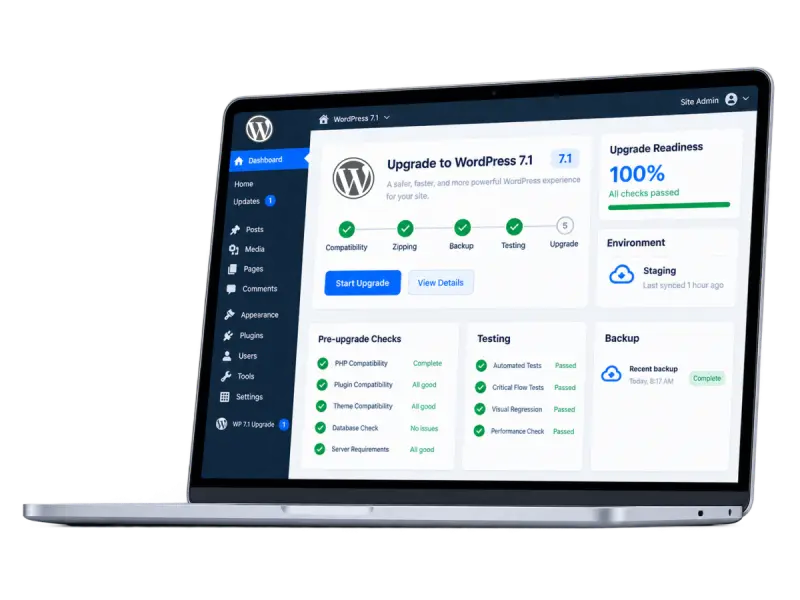
Our structured upgrade process helps protect your website's functionality, customer experience and business continuity, from initial compatibility checks to post-launch support.

Compatibility Audit
We review WordPress core, plugins, themes, custom code, hosting and critical integrations before planning the upgrade.

Full Backup and Rollback Plan
We prepare recoverable database and file backups and define how the previous stable version can be restored if required.

Staging Upgrade
The upgrade is completed in a controlled staging environment, not directly on the live website.

Functional Testing
We test important journeys such as forms, search, login, checkout, payments, integrations, content editing and responsive layouts.

Controlled Deployment
Once the staging version is approved, we plan a traffic-conscious production rollout and validate the live website.

Post-Launch Support
We monitor the upgraded website, address unexpected issues and provide recommendations for ongoing maintenance.
For ongoing improvements beyond version upgrades, explore our WordPress development services
What WordPress 7.1 Means for Website Owners
WordPress 7.1 introduces improvements to content collaboration, responsive styling, media handling and the editing experience.
For businesses, the important consideration is how these changes interact with existing themes, plugins, custom functionality and critical website workflows.
With subsequent maintenance and security updates, including WordPress 7.1.2, it is important to assess both compatibility and the security status of your existing installation before planning an upgrade.
A controlled upgrade should address the appropriate supported release, not simply move your website to an earlier version of WordPress.
No guesswork. No shortcuts.
What You Receive in the Free Upgrade Assessment
Know the risks. Fix the gaps. Upgrade to WordPress 7.1 with confidence.
We review the upgrade path and the technical signals available from your website, then discuss the plugins, integrations and business-critical functionality that may need deeper compatibility testing.
If code, hosting or staging access is required for a deeper assessment, we will explain that before any work begins.

Platform Readiness & Upgrade Path
Review your current WordPress version, hosting environment and PHP compatibility to identify the appropriate upgrade path.

Active theme and page-builder considerations
Identify potential compatibility issues with your active theme, page builder and related components.

Plugin and integration risk areas
Review critical plugins and third-party integrations that could be affected by the WordPress 7.1 upgrade.

Custom functionality and WooCommerce dependencies
Assess custom features and WooCommerce dependencies that may require additional compatibility testing.

Recommended staging, backup and rollback approach
Outline a safe testing, backup and rollback approach before changes are made to the live website.

Indicative scope and next steps
Provide a clear view of the likely upgrade scope, priorities and recommended next steps.
You receive a practical recommendation, not pressure to proceed.
This Assessment Is Especially Useful If Your Website:
- Supports lead generation, online sales or customer services
- Uses WooCommerce or a custom checkout flow
- Depends on several plugins or third-party integrations
- Uses a custom theme, page builder or bespoke functionality
- Has not been reviewed or updated systematically
- Runs on an older PHP or hosting environment
- Cannot afford unexpected downtime or broken customer journeys
From Upgrade Uncertainty to a Controlled Plan
Take a closer look at what changes when your site moves to the modern WordPress 7.1 stack.

Before the assessment
| Unclear plugin and theme compatibility |
| No tested rollback route |
| Production update feels risky |
| Critical journeys may be overlooked |
| Unknown effort and timeline |

After the assessment
| Identified compatibility risks |
| Defined backup and rollback plan |
| Staging-first upgrade approach |
| Agreed functional testing checklist |
| Clear recommendation and indicative scope |
The assessment gives you a practical upgrade plan: what needs attention, what should be tested and what should happen before your production website is changed.
Get A Free WordPress 7.1 Upgrade Assessment
Share your website and any known concerns. We will review the available information and recommend the safest next step.
What you’ll get
- Initial compatibility review
- Upgrade risk summary
- Recommended next steps
No admin access required for the initial review.
No obligation. Just clarity.
Request Your Free Upgrade Assessment
Tell us about your website, and our WordPress specialists will review your upgrade requirements and recommend the next steps.
We respect your privacy. No spam. Real humans only.
Experienced Support for Business-Critical WordPress Websites
W3care helps organisations build, maintain, modernise and support digital platforms over the long term. Our approach to upgrades is based on understanding how the website supports the business, identifying dependencies early and testing the journeys that customers and internal teams rely on.
We do not treat an important production website as an update experiment. The work is planned, reviewed and deployed through a controlled process.
Frequently Asked Questions
Yes. WordPress 7.1 was released on 19 August 2026. Whether you should update immediately depends on the compatibility of your theme, plugins, custom code, integrations and hosting environment.
In many cases, downtime can be avoided or kept to a minimum. We complete the upgrade in staging first, test the important workflows and then use a controlled deployment plan. The exact approach depends on the website and its integrations.
We identify the role of the plugin and assess whether it can be updated, replaced, temporarily retained or supported with a targeted code change. We agree on the approach before changing production.
Yes. WooCommerce upgrades require additional testing around products, carts, checkout, payments, shipping, taxes, customer accounts, emails and connected systems.
A properly controlled core upgrade should preserve existing URLs, metadata and content. We also check for visible changes that could affect indexation, structured data, page speed or important templates.
Yes. Custom development is often where the most important compatibility questions sit. We can review bespoke themes, plugins and integrations as part of the paid upgrade scope after the initial assessment.
The timeline depends on the current version, plugin count, custom functionality, hosting setup and the amount of testing required. The assessment is designed to provide a more realistic recommendation before work begins.
It provides an initial review of the upgrade path, visible risk areas and recommended next steps. If deeper code access or staging work is needed, we will explain the scope before proceeding.
Ready to Plan Your WordPress 7.1 Upgrade?
Understand the compatibility risks, required preparation and recommended
upgrade approach before making changes to your live website.
Get Your Free Upgrade Assessment